How to Generate Ghost API Keys
Sergio
1 min read To connect this Nuxt frontend to your Ghost CMS, you'll need to generate API credentials. Here's how to do it in just a few minutes.
What You'll Need
- A Ghost instance (self-hosted or Ghost(Pro))
- Admin access to your Ghost dashboard
- 5 minutes of your time
Step-by-Step Guide
1. Log Into Ghost Admin
Navigate to your Ghost admin panel. The URL is typically:
https://yourdomain.com/ghost(self-hosted)https://yourdomain.ghost.io/ghost(Ghost Pro)
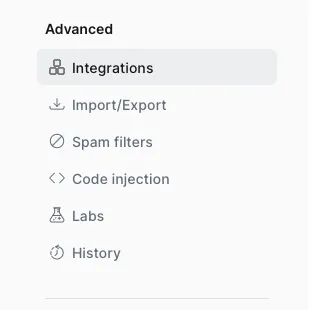
2. Navigate to Integrations
- Click on Settings (gear icon) in the left sidebar
- Scroll down and click on Integrations
- You'll see a list of available integrations
3. Create a Custom Integration
- Click Add custom integration (usually at the bottom)
- Give it a descriptive name like "Nuxt Frontend" or "Headless Blog"
- Click Create
4. Copy Your Credentials
After creating the integration, you'll see two important pieces of information:
Content API Key
- This is what you need for reading public content
- It's a long hexadecimal string
- Click to copy it
API URL
- This is your Ghost site's URL
- Usually the same as your main domain
5. Set Up Your Environment Variables
Create a .env file in your Nuxt project root:
NUXT_PUBLIC_GHOST_URL=https://your-ghost-site.com
NUXT_PUBLIC_GHOST_CONTENT_API_KEY=your_content_api_key_here
Important: Never commit your .env file to version control! It should be in your .gitignore.
Testing Your Connection
Once configured, restart your Nuxt development server:
pnpm dev